
TwoGenIdentity Labs
Verifiable Credentials with Keycloak
TwoGenIdentity is extending Keycloak with Verifiable Credential capabilities, exploring new ways to establish and reuse trusted digital identity.
From employee onboarding and account recovery to trusted access, this Lab explores how Verifiable Credentials can be integrated into Keycloak to enable new identity flows.
Use Case
Passkey account recovery
Goals
Enable passwordless account recovery using verifiable identity
Benefits
Stronger recovery security and reusable digital identity
Standards
OpenID4VCI, OpenID4VP
What happens when a user loses their passkey?
Passkeys are phishing-resistant authenticators, which is exactly what makes them strong and exactly what makes losing one painful. When a user loses their passkey, recovery often falls back to email links, SMS codes, or support calls.
A native Passkeys recovery experience
This implementation explores using a Verifiable Credential: a digitally signed Verified Employee ID that Keycloak issues once, ahead of time, into the user's digital wallet. When recovery is needed, the user presents that credential directly from the wallet, inside the app, with no browser redirect and no QR code hop. Keycloak verifies the signature and issuer, confirms it's talking to the right person, and lets them register a brand new passkey on the spot.
The credential does the identity proofing; Keycloak enforces the recovery policy; the passkey does the ongoing authentication. Three separate concerns, none of them weaker than the others.
The recovery flow
The same native experience powered by our Advanced Authentication Extensions, now applied here to account recovery.
Phase 1: Start recovery
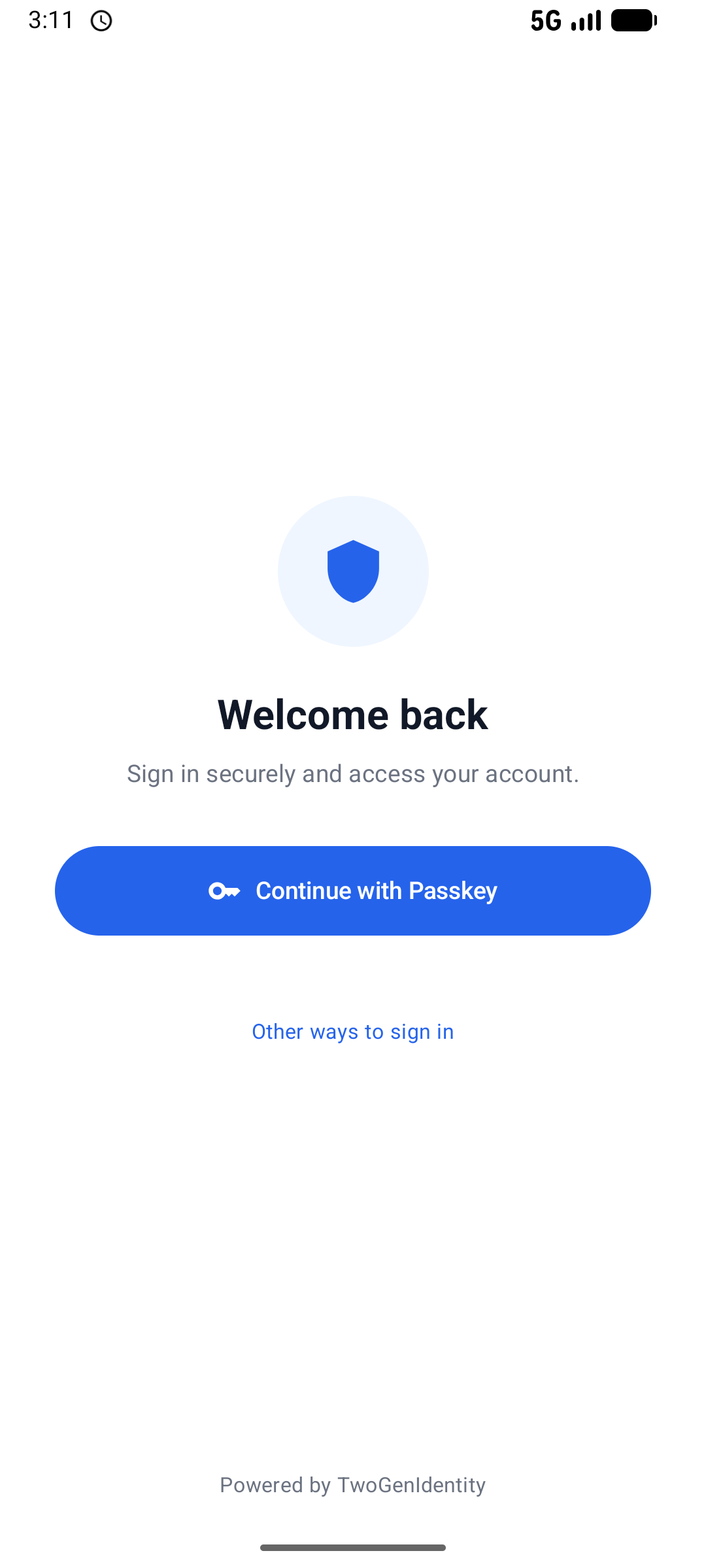
Lost the device. Tap Other ways to sign in

Choose Recover with Verified Employee ID
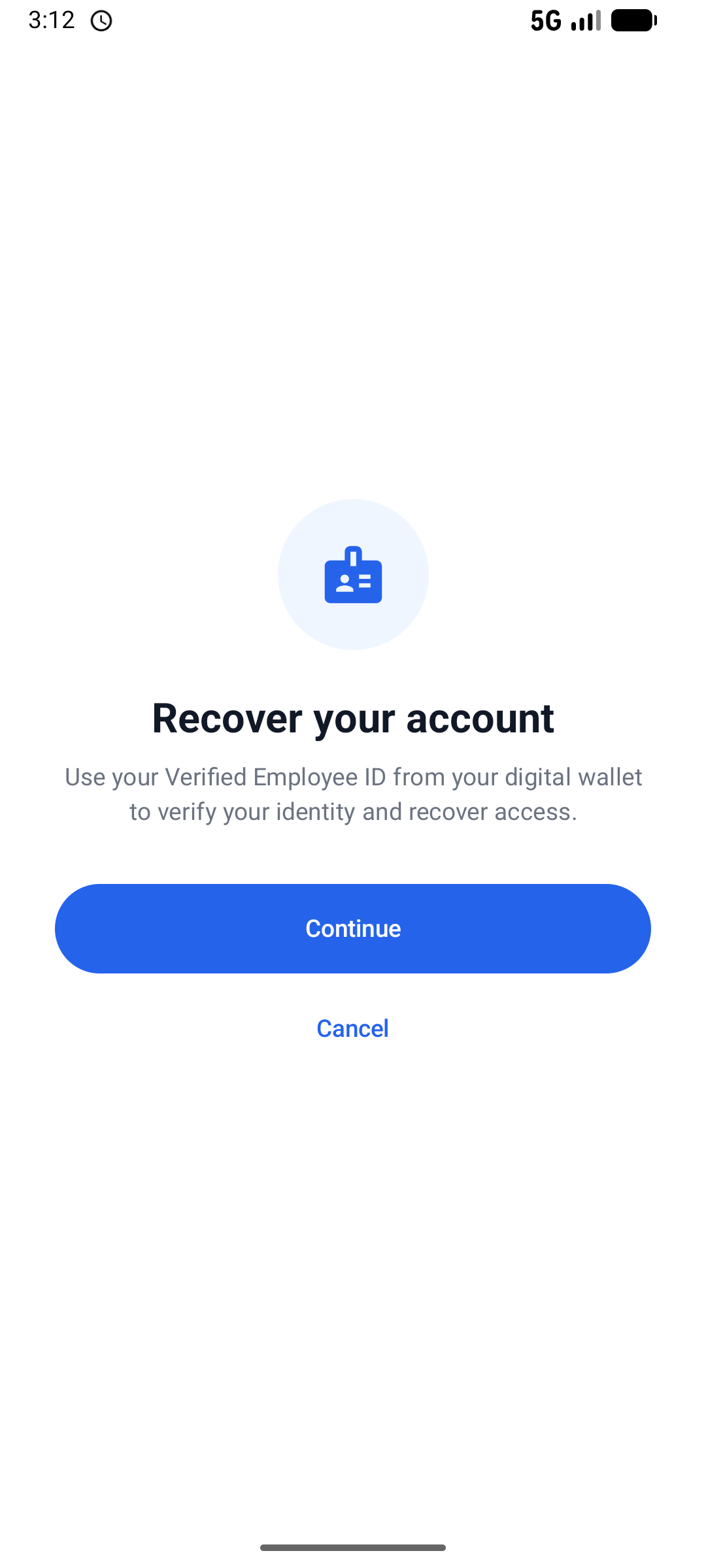
Recovery started, right inside the app
Phase 2: Present the credential
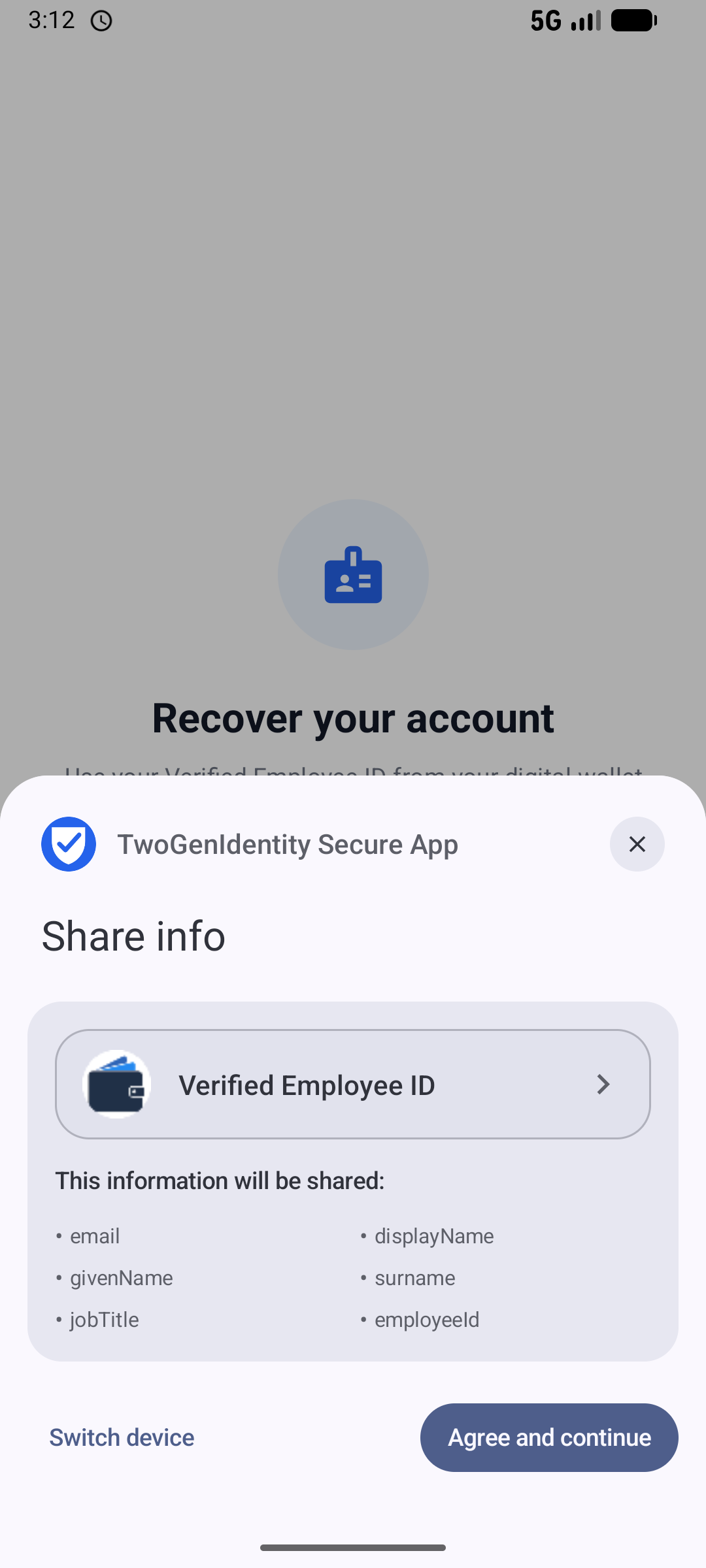
Wallet asks to share the Verified Employee ID
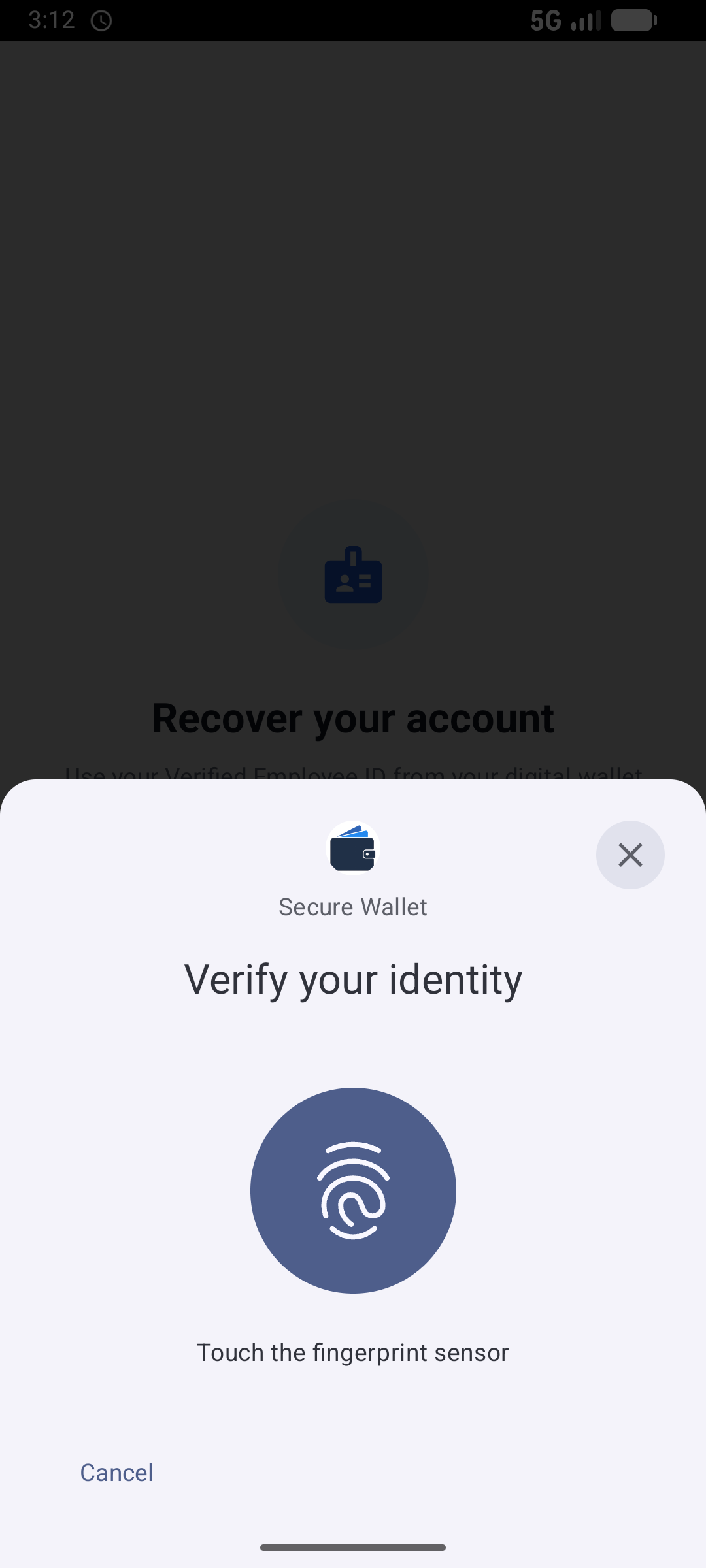
Unlock the wallet with biometrics
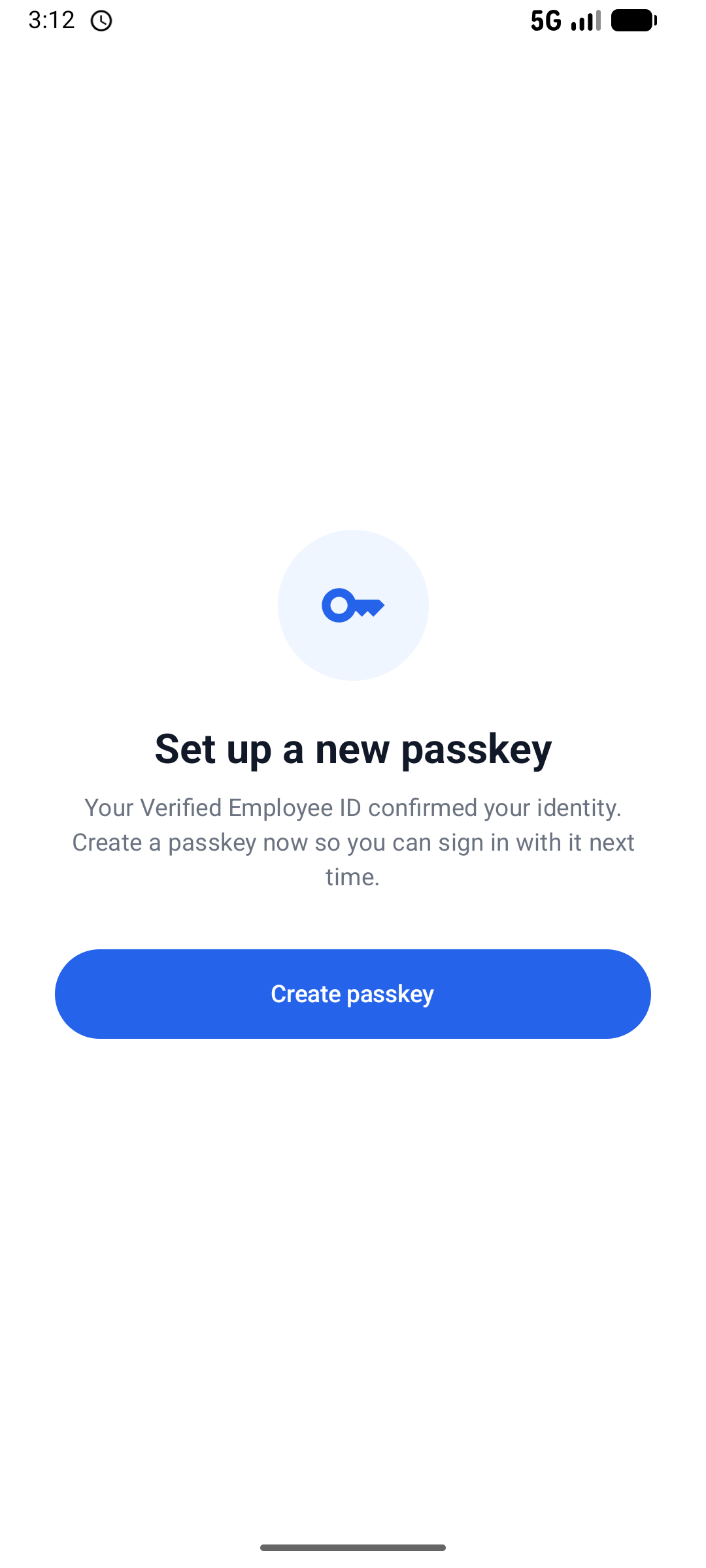
Credential verified. Identity confirmed
Phase 3: Register a new passkey
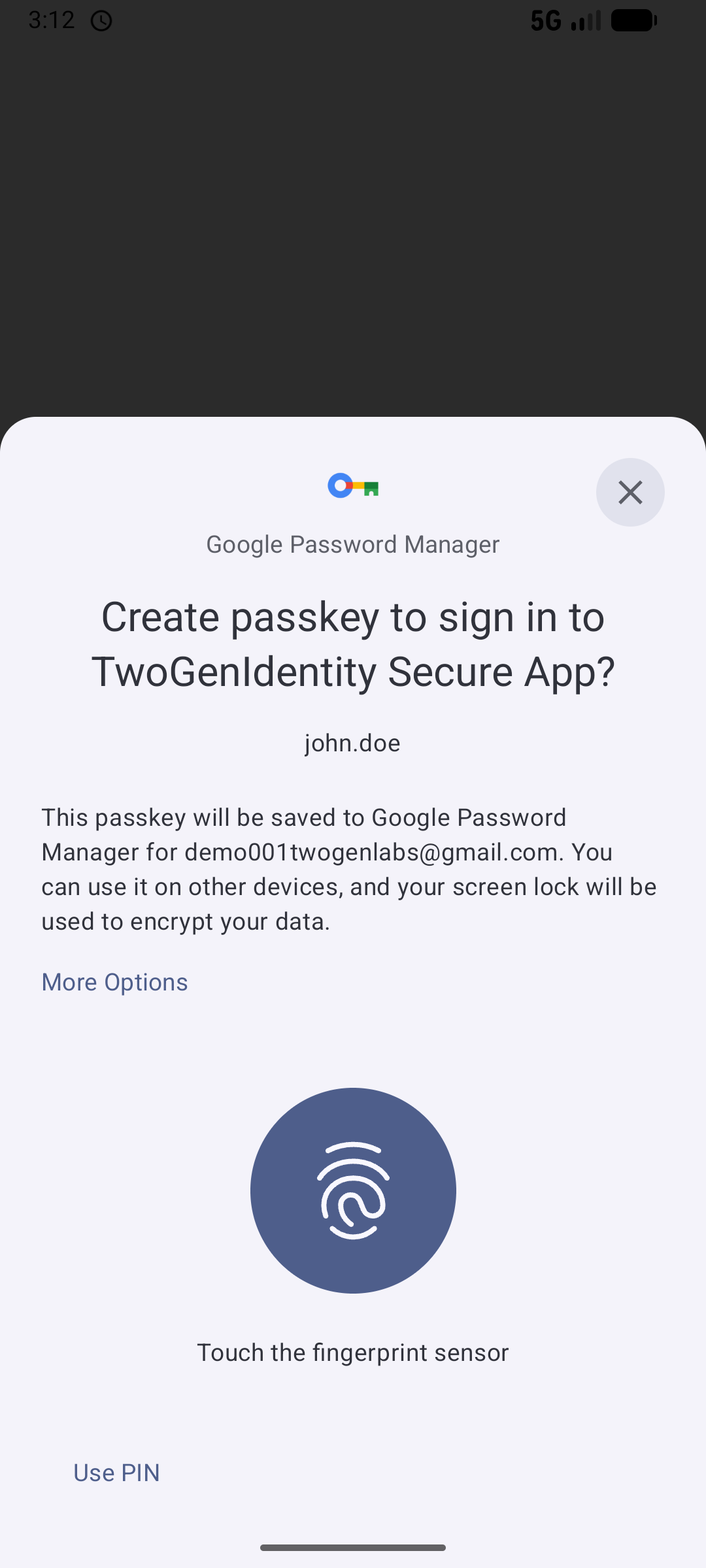
Register a brand new passkey

Account recovered. No email, no support ticket.
Standards underneath
OpenID for Verifiable Credential Issuance (OpenID4VCI) · Credential issuance
Keycloak issues the Verified Employee ID credential into the wallet.
OpenID for Verifiable Presentations (OpenID4VP) · Credential presentation
The wallet presents the credential back to Keycloak for verification.
Digital Credentials API · Wallet interaction
In-app credential exchange on the device, with no browser redirect.
SD JWT VC / mdoc · Credential formats
Credential formats, aligned with the EUDI Wallet reference model.
See it in action
Keycloak has already issued a Verified Employee ID into the employee's digital wallet. In the demo, the employee:
- Selects Other ways to sign in.
- Chooses Recover with Verified Employee ID.
- Presents their Verified Employee ID from their digital wallet.
- Their identity is verified.
- They create a new passkey.
- Their account is recovered and the new passkey is ready to use.
Preview
Ready for real world evaluation with a Keycloak realm and wallet setup. The capability is sufficiently mature for evaluation, with interfaces continuing to evolve toward general availability.
Talk to us about evaluating it